 MarcX Studio
 English
Mobile Product Studio
MarcX Studio
Each app takes care of one everyday task, and does it well.
MarcX Studio builds practical apps for everyday tasks: keep loyalty cards ready, practice spelling and number listening, and make Mac audio easier to control.
- 6 apps
- iPhone · iPad · Android · Mac





Apps
Learning and practice

Loyalty card wallet
RooCards
RooCards is the MarcX loyalty card wallet for store cards, rewards cards, memberships, barcodes, and QR codes. Open cards faster from the app, widgets, Spotlight, Apple Wallet on iPhone, or a clean scan-ready display.
- Store loyalty, store, rewards, and membership cards with clean barcode and QR code display.
- Use fast access surfaces including card-grid widgets, scan-ready barcode and QR widgets, Spotlight, and Apple Wallet for eligible cards.
- Add cards by scanning, manual entry, or bulk import from saved screenshots.


Mac microphone volume utility
Auto Ducking
Auto Ducking is a Mac microphone volume utility that lowers background audio when your mic becomes active, then restores volume when microphone use ends.
- Lowers Mac system volume when your microphone becomes active.
- Restores the previous volume automatically when microphone use ends.
- Adds presets, app rules, fade timing, hotkeys, and output-device memory.


English number listening practice
NumListen
Train your ear for spoken numbers in 8 languages. Listen on iPhone, then type the Arabic digits you hear.
- Practice teen vs ty, basic numbers, phone numbers, prices, dates, codes, decimals, and percentages.
- Hear spoken numbers and type digits with format-specific templates.
- Use replay, Show Answer, settings, and lightweight progress tracking.


Spelling Practice App
Snap Spell
Snap Spell turns real school word lists into read-aloud spelling practice on iPhone: Solo Test, Auto Dictation, Tricky Words review and a weekly report. No ads. Pro adds Natural voices and more.
- Hear it, spell it, know right away
- Auto Dictation reads the list while your child writes
- Missed words come back in Tricky Words


Chinese idiom game for iPhone
成语拾光
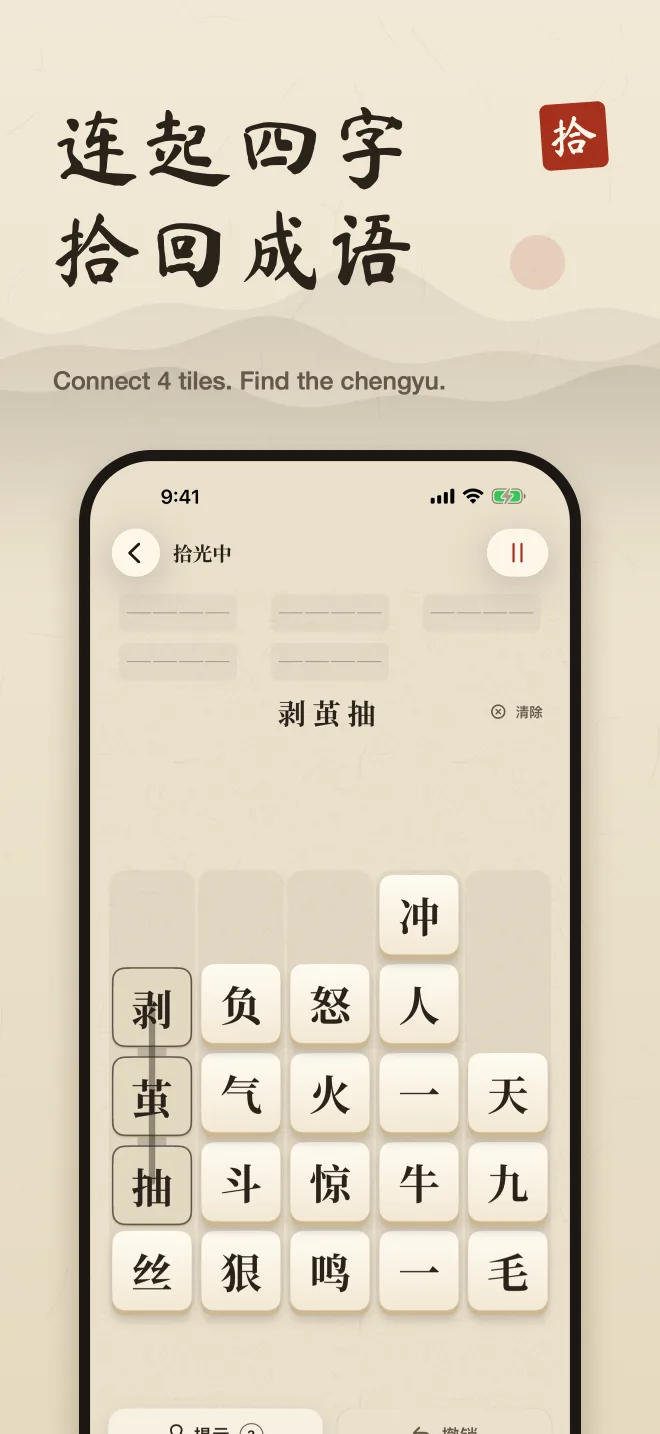
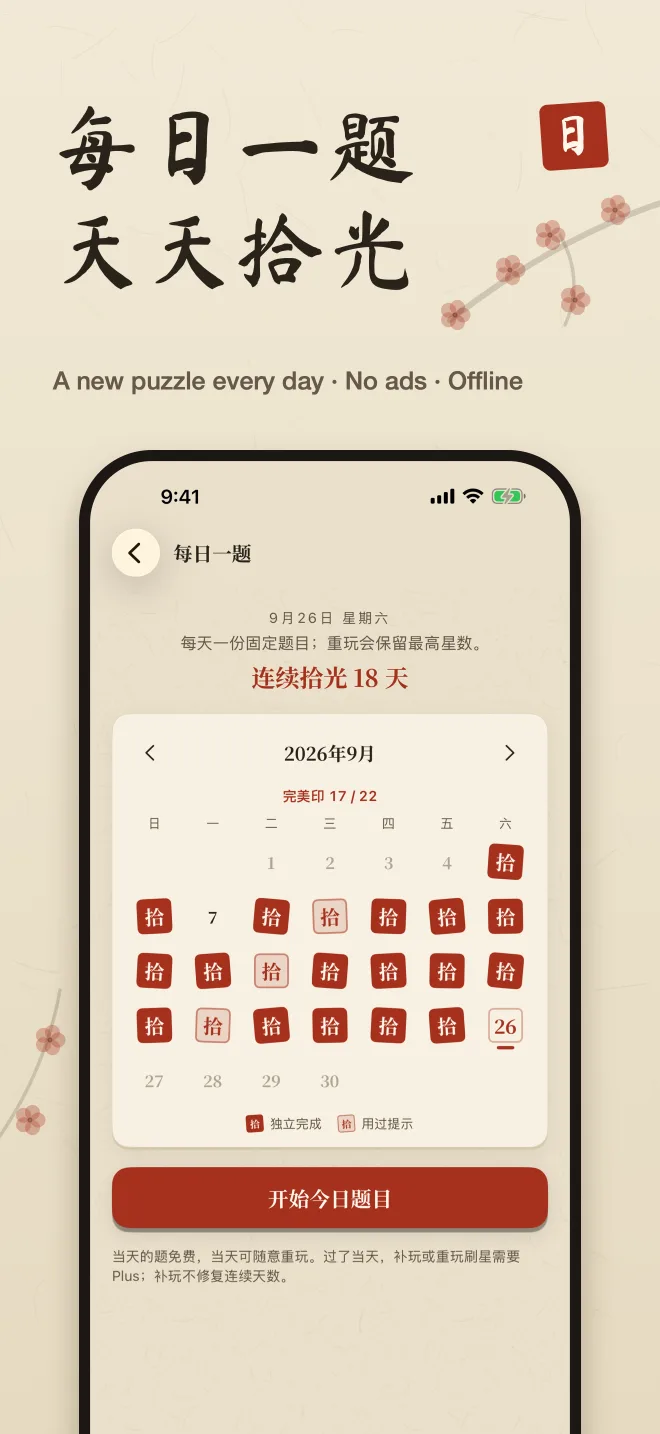
成语拾光 (Idiom Shiguang) is a Chinese idiom game for iPhone: a chengyu puzzle where you connect four neighboring character tiles to spell an idiom, with a daily puzzle, 1,700+ levels, pinyin and Chinese definitions. No ads, plays offline.
- 1,700+ campaign levels Chapters run from easy to master, so the boards grow with you.
- A daily puzzle One fixed puzzle a day, with a seal calendar that marks your streak.
- Idiom collection Look back at every idiom you have found, with pinyin and a Chinese definition.

Chinese English Bible app
VerseLume
VerseLume is a free Chinese English Bible app for iPhone and iPad: the Chinese Union Version beside the World English Bible, instant verse search, listening, reading plans, memory verses and a prayer list. No ads.
- Reading plans The Bible in a year, the New Testament in 90 days, Psalms and Proverbs, or the four Gospels. Miss a day and simply carry on from today.
- Memory verses Add any verse, practise with first-letter hints and fill-in-the-blanks, and review on a spaced schedule.
- Prayer list Note who and what you are praying for, get a reminder on the day, and mark answered prayers with a word of thanks.
Coming soon for iPhone and iPad
MarcX Studio
How we build
Each MarcX app starts with one recurring task and stays focused on making it easier.
One clear job
Each app is built around a task you return to often.
Straightforward to use
The essentials are easy to find, without unnecessary steps.
Stay focused
We keep each product focused instead of trying to do everything.
MarcX Studio
For app support, privacy questions, or product feedback, contact MarcX Studio.