


Best for barcode and QR cards
Choose cards you scan in person, such as supermarket rewards, gym memberships, library cards, and retail store cards.
RooCards Apple Wallet · Australia
RooCards helps iPhone users add eligible barcode and QR code cards to Apple Wallet, while keeping the full card library searchable inside RooCards. This version uses Australia English for the same RooCards workflow.
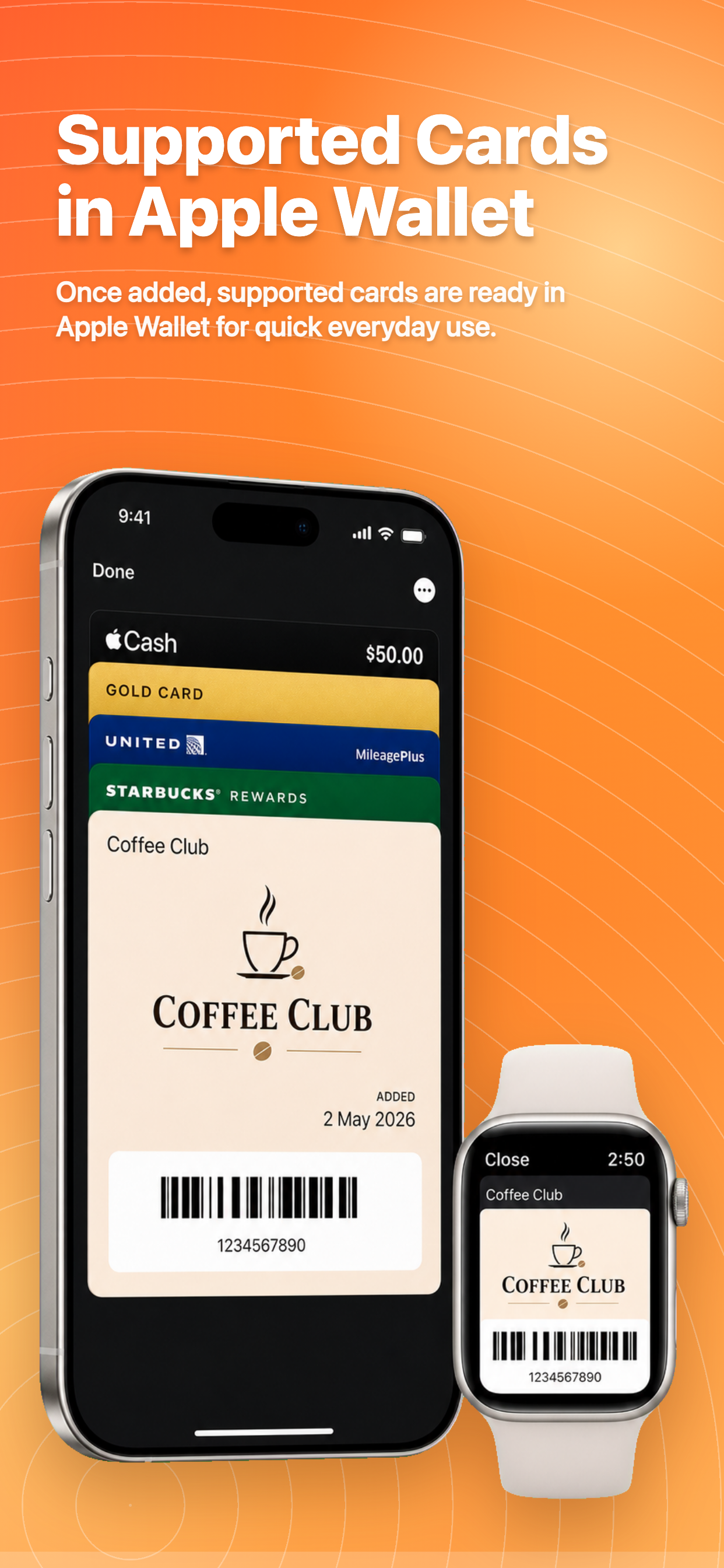
Watch how RooCards turns an eligible loyalty card into an Apple Wallet pass.
Open the right card quickly when you are at checkout, checking in, or showing a membership code.
Choose cards you scan in person, such as supermarket rewards, gym memberships, library cards, and retail store cards.
Set the pass label, category, and strip image so frequent cards are easier to recognize in Apple Wallet.
Use RooCards to store, search, import, organize, and edit all cards, then send selected eligible cards to Apple Wallet.
RooCards and Apple Wallet solve different parts of everyday card access.
Use one wallet for store cards, rewards cards, membership cards, barcodes, QR codes, and occasional passes.
RooCards keeps store cards, loyalty cards, membership cards, barcodes, and QR codes ready in an iPhone-first wallet, with a basic Android version available.
Explore the full iPhone card wallet page. Localised for Australia readers.
Read setup steps, eligibility notes, and platform limits. Localised for Australia readers.
See how RooCards handles barcode and QR code cards. Localised for Australia readers.
Download RooCards on iPhone, add the cards you use most, and choose which eligible cards should also live in Apple Wallet. Available from App Store and Google Play where supported.